Executing workflows
Executing a workflow means walking its graph from the START node to an END node, one node
at a time. Each node receives the previous node's output, does its work (calls an LLM, checks
a condition, makes an HTTP call…), and hands its result forward along the edges — while a
shared state travels alongside so any node can read and write variables. When an END
node is reached, the run stops and returns its final output.
You'll run workflows three ways:
- From the editor — the debug panel runs the graph interactively while you build it (see Debugging).
- From the chat UI — a conversational front-end for a deployed workflow.
- Over the API — the programmatic entry point, documented on this page.
Triggering a run
A run is started with a single call:
POST /api/workflows/{workflowId}/execute
{workflowId} is the UUID of the workflow you want to run (visible in the editor URL and the
workflows list).
Authentication
Every API call is authenticated with an API key — a token that begins with sk_. Create
one in the app's settings, then send it as a Bearer token in the Authorization header of
each request:
Authorization: Bearer sk_xxxxxxxxxxxxxxxxxxxxxxxxxxxxxxxx
Keep the key secret: it can execute any workflow in its project. A missing or invalid key
returns 401.
Request body
The body is a JSON object. Only input is required — every other field is optional and
tunes how the run behaves:
| Field | Type | Default | Purpose |
|---|---|---|---|
input |
object | (required) | The payload handed to the START node. For a chat workflow this is { "message": "…" }; the agent reads the text from input.message. |
sessionId |
uuid | null |
Continue an existing chat session so history and state carry over from previous turns. |
createSession |
bool | false |
Start a new chat session for this run and return its id. |
sessionName |
string | null |
Human-readable label applied when a session is created. |
state |
object | null |
Seed the run's shared state variables. Your values are merged over the workflow's defaults (yours win). |
projectState |
object | null |
Seed project-level state (shared across a project's workflows). |
task |
bool | false |
Return an executionId immediately instead of waiting for the result — see Run-and-wait vs. async. |
stream |
bool | false |
Publish token-by-token deltas you can subscribe to — see Streaming. |
clientId |
string | null |
Your own identifier for the end user, used to tie state across workflows. |
metadata |
object | null |
Arbitrary key/values stored on the session for your own bookkeeping. |
Run and get the answer
The simplest call sends a message and waits for the reply:
curl -X POST https://<host>/api/workflows/<workflowId>/execute \
  -H "Authorization: Bearer sk_xxxxxxxxxxxxxxxxxxxxxxxxxxxxxxxx" \
  -H "Content-Type: application/json" \
  -d '{ "input": { "message": "Hi there" } }'
const res = await fetch(
  "https://<host>/api/workflows/<workflowId>/execute",
  {
    method: "POST",
    headers: {
      Authorization: "Bearer sk_xxxxxxxxxxxxxxxxxxxxxxxxxxxxxxxx",
      "Content-Type": "application/json",
    },
    body: JSON.stringify({ input: { message: "Hi there" } }),
  },
);
const run = await res.json();
console.log(run.output.message);
import requests

res = requests.post(
    "https://<host>/api/workflows/<workflowId>/execute",
    headers={"Authorization": "Bearer sk_xxxxxxxxxxxxxxxxxxxxxxxxxxxxxxxx"},
    json={"input": {"message": "Hi there"}},
)
run = res.json()
print(run["output"]["message"])
The response is the completed run. output holds the final reply produced by the END node
(for a chat workflow that's the last agent's message), and metadata summarizes the run:
{
  "executionId": "3f1c2b6a-9d4e-4f2a-8b17-1c2d3e4f5a6b",
  "sessionId": null,
  "status": "completed",
  "output": {
    "message": "Hello! How can I help you today?",
    "parsed_message": null,
    "tool_executions": []
  },
  "state": {},
  "projectState": {},
  "metadata": {
    "totalSteps": 3,
    "durationMs": 1240,
    "creditsUsed": 2.5,
    "ownKeyCostUsd": null
  },
  "isSessionClosed": false
}
Field by field:
| Field | Meaning |
|---|---|
executionId |
The run's UUID — use it to fetch step detail or subscribe to its stream. |
sessionId |
The chat session this run belongs to (only set in session mode). |
status |
completed on success; failed on error (see below). |
output.message |
The reply text produced by the END node. |
output.parsed_message |
The parsed object when the agent used a JSON response format; otherwise null. |
output.tool_executions |
The tool calls the agent made during the turn (empty for a plain chat). |
state / projectState |
The final shared and project-level state after the run. |
metadata.totalSteps |
How many nodes ran. |
metadata.durationMs |
Wall-clock time of the run, in milliseconds. |
metadata.creditsUsed |
Credits the run consumed. |
metadata.ownKeyCostUsd |
USD cost when the run used your own LLM key (else null). |
isSessionClosed |
true if an END node closed the chat session. |
If the run fails, you get an error shape instead. It always carries a status field, so
check status before reading output:
{
  "executionId": "3f1c2b6a-…",
  "status": "failed",
  "error": "Agent request timed out",
  "errorType": "node_error",
  "failedNodeId": "agent-1",
  "partialState": {},
  "partialProjectState": {}
}
error is a human-readable message, errorType classifies it (e.g. node_error, timeout,
runtime), failedNodeId points at the node that broke, and the partial* fields give you
the state as it stood when the run stopped.
What a run produces
Behind each response, a run creates an Execution record plus a per-node
ExecutionStep for every node that ran — capturing that node's input, output, status, and
type. It also persists the final state and project state snapshots and the run's
cost/credit metadata.
The execute response is a summary; the per-step detail isn't included in it. To inspect what
each node received and returned, fetch the full run from GET /api/executions/{executionId}
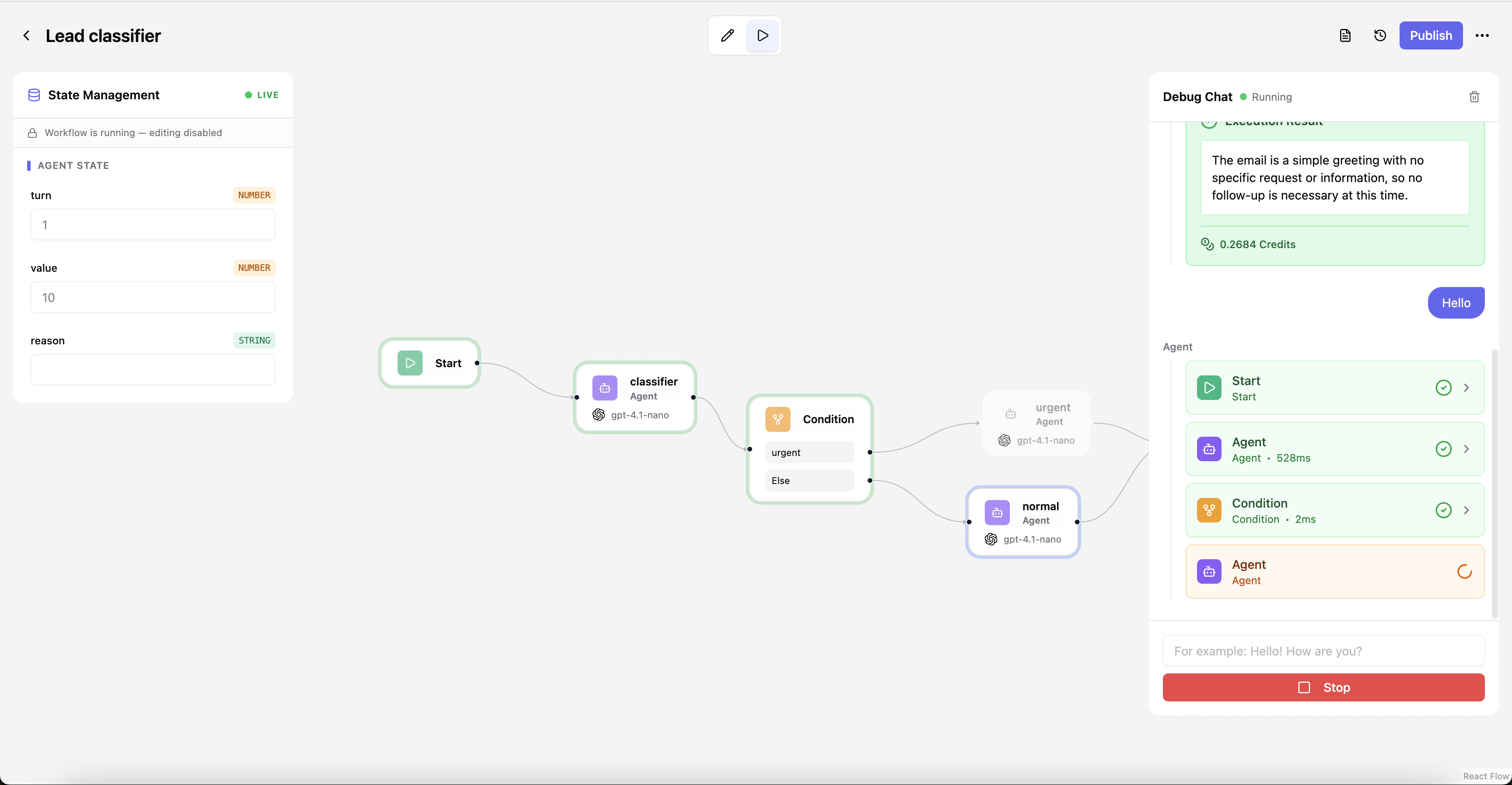
or open it in the execution viewer (see Debugging → Replay and run history).
Run-and-wait vs. async
Run and wait (default). The run executes in-process and the API holds the request open up
to TASK_TIMEOUT_SECONDS. If the workflow finishes in time you get the full result above. If
it runs longer than the timeout, the API automatically falls back to async mode and returns
just an id — so you never lose a long run, you just switch to polling for it.
Async (task: true). For workflows you expect to be slow, ask for async up front by
passing task: true. You get an id back immediately:
curl -X POST https://<host>/api/workflows/<workflowId>/execute \
  -H "Authorization: Bearer sk_..." \
  -H "Content-Type: application/json" \
  -d '{ "input": { "message": "Hi" }, "task": true }'
const res = await fetch(
  "https://<host>/api/workflows/<workflowId>/execute",
  {
    method: "POST",
    headers: {
      Authorization: "Bearer sk_...",
      "Content-Type": "application/json",
    },
    body: JSON.stringify({ input: { message: "Hi" }, task: true }),
  },
);
const { executionId } = await res.json();
import requests

res = requests.post(
    "https://<host>/api/workflows/<workflowId>/execute",
    headers={"Authorization": "Bearer sk_..."},
    json={"input": {"message": "Hi"}, "task": True},
)
execution_id = res.json()["executionId"]
{ "executionId": "3f1c2b6a-…", "status": "running" }
Then poll the task endpoint until it's done. While the run is in progress you get
{"status": "running"}; once it finishes, the same endpoint returns the full
ExecutionResponse (or the failed shape):
curl https://<host>/api/workflows/task/<executionId> \
  -H "Authorization: Bearer sk_..."
async function waitForResult(executionId) {
  while (true) {
    const res = await fetch(
      `https://<host>/api/workflows/task/${executionId}`,
      { headers: { Authorization: "Bearer sk_..." } },
    );
    const run = await res.json();
    if (run.status !== "running") return run;
    await new Promise((r) => setTimeout(r, 1000));
  }
}
import time, requests

def wait_for_result(execution_id):
    while True:
        res = requests.get(
            f"https://<host>/api/workflows/task/{execution_id}",
            headers={"Authorization": "Bearer sk_..."},
        )
        run = res.json()
        if run["status"] != "running":
            return run
        time.sleep(1)
Queued (Arq worker tier). When EXECUTION_QUEUE_ENABLED=true (the opt-in queue Compose
profile: Redis + an Arq worker), runs are enqueued and executed by a separate worker so
execution scales across replicas. The request and response shapes above don't change —
task: true still returns immediately and you poll the same way. See
Get started → queue tier.
Streaming (token-by-token)
By default you receive the reply only once the turn is complete. Passing stream: true makes
the run additionally publish token deltas as the agent generates them — ideal for a
typing-indicator effect in a chat UI.
stream: true doesn't change the execute response itself; it turns on a side channel you
subscribe to over Server-Sent Events (SSE), using the executionId from the response:
curl -N https://<host>/api/executions/<executionId>/stream \
  -H "Authorization: Bearer sk_..." \
  -H "Accept: text/event-stream"
// Browser EventSource (auth via a query param or a proxied same-origin path)
const es = new EventSource(
  `https://<host>/api/executions/${executionId}/stream`,
);
es.addEventListener("stream_delta", (e) => {
  const { data } = JSON.parse(e.data);
  process.stdout.write(data.delta); // append each token chunk
});
es.addEventListener("execution_complete", () => es.close());
import json, requests

with requests.get(
    f"https://<host>/api/executions/{execution_id}/stream",
    headers={"Authorization": "Bearer sk_...", "Accept": "text/event-stream"},
    stream=True,
) as res:
    for line in res.iter_lines():
        if line and line.startswith(b"data:"):
            event = json.loads(line[5:])
            if event["eventType"] == "stream_delta":
                print(event["data"]["delta"], end="", flush=True)
Each frame carries a monotonically increasing seq, which you can send back as a
Last-Event-ID header to resume the stream after a dropped connection. The event types are
the same ones used by debug mode — see Debugging → Running in debug
for the full list.
Chat sessions
By default each run is a one-shot: it starts fresh, produces an answer, and forgets
everything. Passing sessionId (or createSession: true on the first turn) makes runs
stateful — the chat history and state persist within that session, so every turn builds
on the ones before it. The START node's firstPhrase seeds the first assistant message
when a session is created.
This is what makes Assemblix chat-first: a session is an ongoing conversation with your
workflow, not a pile of isolated one-off runs. Create a session once, then keep passing its
sessionId on each subsequent turn.
Voice input
Instead of typing, callers can speak. Send audio to the dedicated audio endpoint:
POST /api/workflows/{workflowId}/execute/audio
Unlike the JSON route, this is a multipart/form-data request with two parts:
file— the audio blob to transcribe (an.mp3,.wav,.webm… recording; the default transcriber is Whisper).payload— a JSON string of the same body as the text execute route (input,sessionId,task,stream, …). It's optional and defaults to{}.
curl -X POST https://<host>/api/workflows/<workflowId>/execute/audio \
  -H "Authorization: Bearer sk_xxxxxxxxxxxxxxxxxxxxxxxxxxxxxxxx" \
  -F "file=@question.mp3;type=audio/mpeg" \
  -F 'payload={"createSession": true}'
const form = new FormData();
form.append("file", audioBlob, "question.mp3"); // a Blob/File
form.append("payload", JSON.stringify({ createSession: true }));

const res = await fetch(
  "https://<host>/api/workflows/<workflowId>/execute/audio",
  {
    method: "POST",
    headers: { Authorization: "Bearer sk_..." }, // no Content-Type — the browser sets it
    body: form,
  },
);
const run = await res.json();
import json, requests

with open("question.mp3", "rb") as f:
    res = requests.post(
        "https://<host>/api/workflows/<workflowId>/execute/audio",
        headers={"Authorization": "Bearer sk_..."},
        files={"file": ("question.mp3", f, "audio/mpeg")},
        data={"payload": json.dumps({"createSession": True})},
    )
run = res.json()
The START node must have acceptVoice enabled, otherwise the call returns 400. The
blob is transcribed server-side and the transcript is placed into input.message, so
everything downstream runs exactly as if the user had typed it. The response is the same
ExecutionResponse as the text route.
Audio format & the transcription model
OpenAI's gpt-4o-transcribe models run a strict container validator: they
reject verbose_json and any file whose header is incomplete — including the
streaming WebM/Opus a browser's MediaRecorder produces (it has no duration/seek
index), which fails with 400 "Audio file might be corrupted or unsupported".
whisper-1 is lenient and accepts these.
Send a file with a complete header — a WAV or MP3 works everywhere. If you
record in the browser, encode a WAV client-side (e.g. via
extendable-media-recorder
with its WAV encoder) rather than uploading the raw MediaRecorder WebM. WAV is
uncompressed (~1 MB/min at 16 kHz mono), so keep clips within
VOICE_MAX_UPLOAD_BYTES (20 MB default).
Voice output
Give an AGENT node outputType = voice and it synthesizes its reply as speech. In the
normal (non-streaming) case the audio is returned inline on that node's output, in an audio
object right next to the text:
{
  "executionId": "3f1c2b6a-…",
  "status": "completed",
  "output": {
    "message": "Hello! How can I help you today?",
    "parsed_message": null,
    "tool_executions": [],
    "audio": {
      "base64": "SUQzBAAAAAA…",
      "format": "mp3",
      "voiceId": "21m00Tcm4TlvDq8ikWAM",
      "model": "eleven_multilingual_v2"
    }
  },
  "state": {},
  "projectState": {},
  "metadata": { "totalSteps": 3, "durationMs": 1810, "creditsUsed": 4.0, "ownKeyCostUsd": null },
  "isSessionClosed": false
}
audio.base64 is the base64-encoded clip (format = mp3) — decode it to play the reply.
voiceId and model echo the voice that was used. The voice is configured on the agent node
via its voice settings: provider, model, voiceId, an optional credentialId
(bring-your-own key), and a realtime flag.
Real-time streaming. Set the agent's voice.realtime = true and run with stream: true.
Instead of one buffered clip at the end, audio arrives in chunks as it's spoken. Subscribe to
the run's SSE stream (see Streaming) and read audio_delta
events — each carries a base64 PCM chunk (format defaults to pcm_16000) plus optional
character-level alignment timing you can use for lip-sync.
Avatars
outputType = avatar reuses the agent's streamed output to drive a talking avatar
persona, turning a workflow into a face-to-face conversation. Like real-time voice, the
avatar is fed by the stream — run with stream: true and subscribe to the run's SSE stream to
receive it.